

Polygraph runs AI agents across your repositories and streams their logs to the web UI. The first piece of that story is keeping secrets out of those logs.
Token protection
Section titled “Token protection”CLI sign-in uses an OAuth device flow with browser approval. The CLI stores short-lived access tokens and rotating refresh tokens locally, preferring secure credential storage when it is available.
Refresh tokens are single-use and rotate as they are used. If an old refresh token is presented again, Polygraph treats it as possible replay and invalidates the related credentials or session. The CLI may require you to sign in again. Server-side OAuth tokens and approval codes are stored as protected hashes, not plaintext.
polygraph auth logout revokes credentials remotely when possible and clears local credentials.
Protect your refresh token with 1Password
Section titled “Protect your refresh token with 1Password”Install the 1Password CLI (op) and sign in before you start. Open and unlock the 1Password desktop app, then turn on SDK integration in 1Password Settings > Developer.
Run
polygraph auth loginand select Protect with 1Password when Polygraph detects your 1Password account.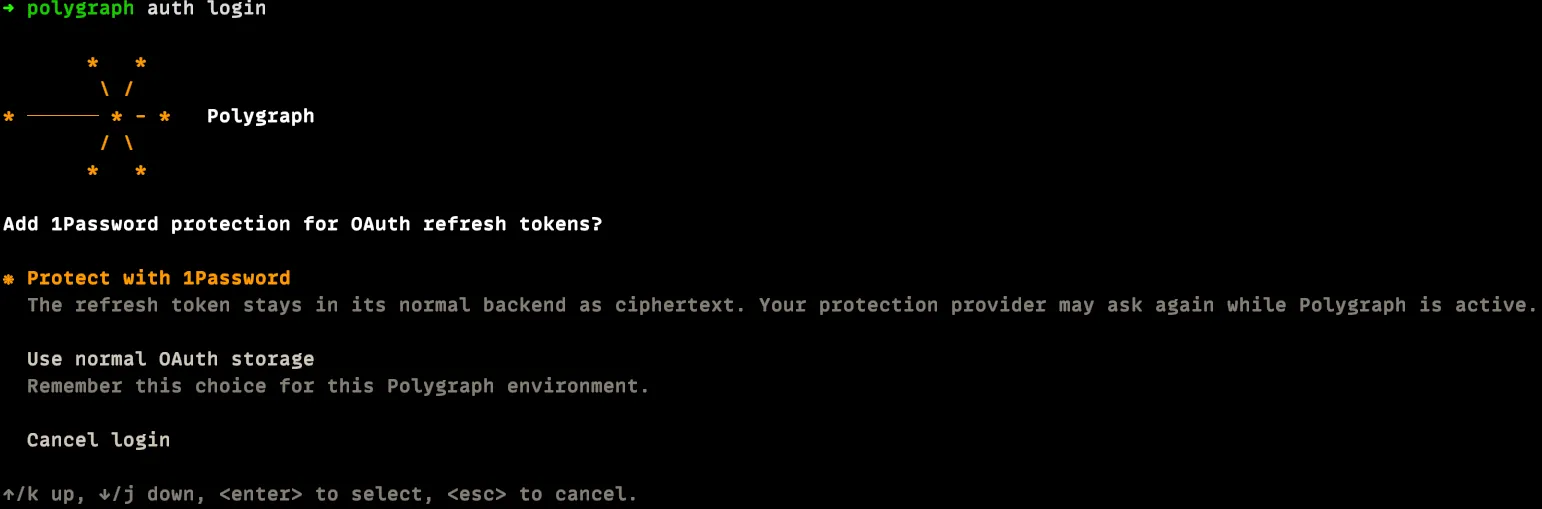
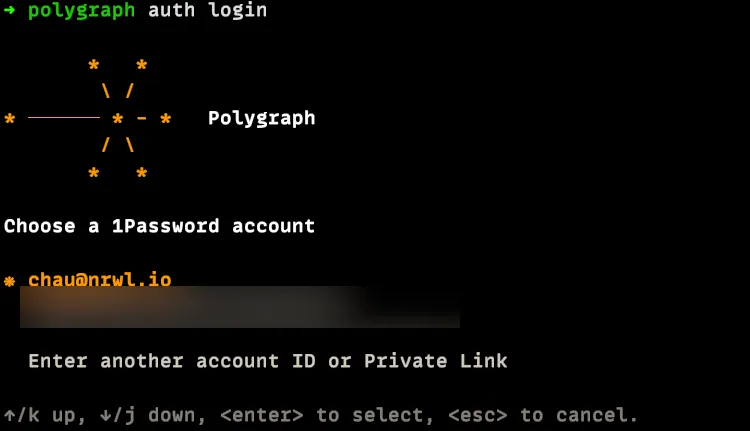
Choose the 1Password account to use.
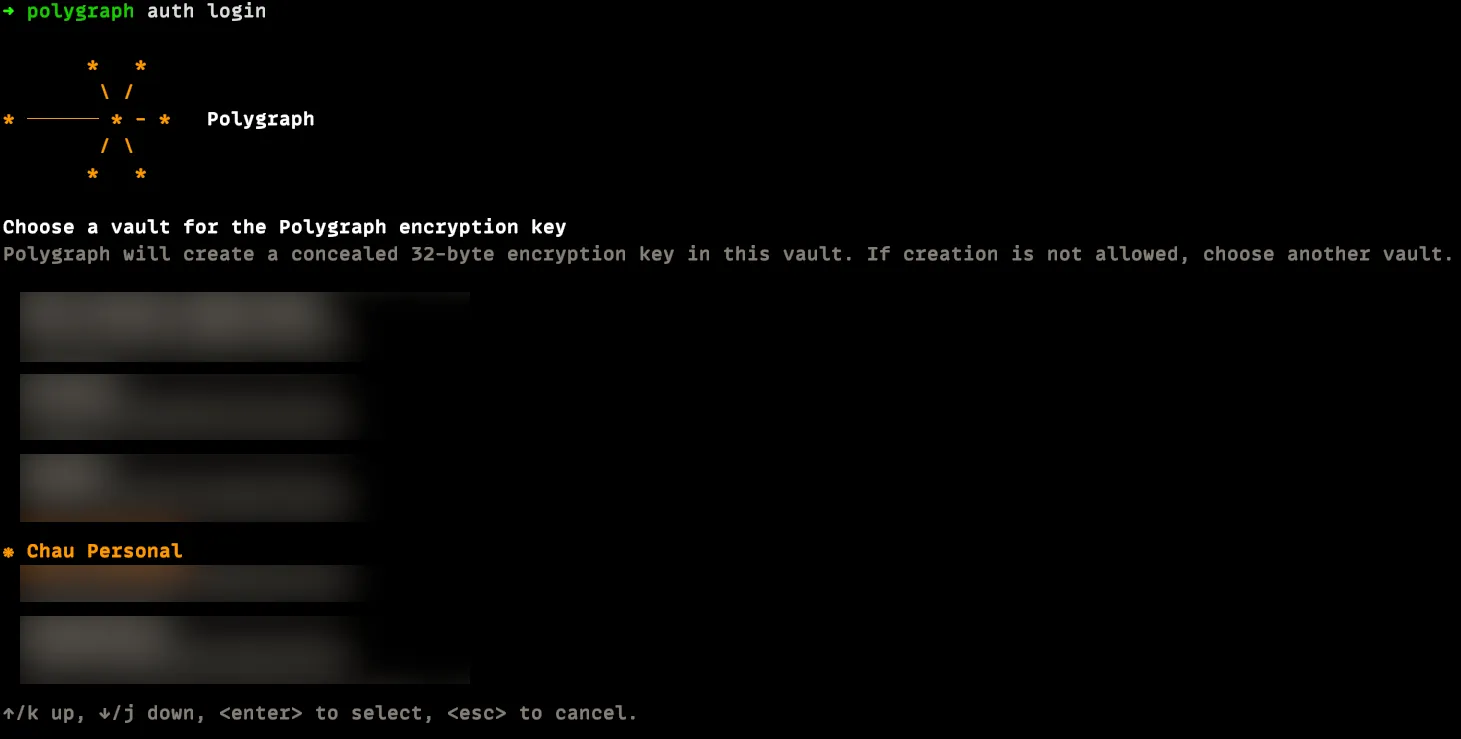
Choose the vault that should store the encryption key. The example selects Chau Personal.
Continue with the normal OAuth login.
After login, Polygraph saves an encryption key in the selected vault and uses it to encrypt your OAuth refresh token. The encrypted refresh token remains in Polygraph's normal credential storage.
If 1Password is locked when Polygraph refreshes the token, unlock it and retry.
Frequently asked questions
Section titled “Frequently asked questions”How often does 1Password prompt you?
Section titled “How often does 1Password prompt you?”1Password prompts you each time Polygraph uses the refresh token to renew the access token. It doesn't prompt while the cached access token remains usable.
Secret redaction
Section titled “Secret redaction”Before any agent log leaves your machine, the CLI scans each line for values that look like secrets and replaces them with [REDACTED]. Redaction runs locally and covers both the main agent and child agents.
It masks:
- Private keys, bearer tokens, and prefixed provider tokens (
pypi-,hf_,vercel_, and similar). - Credentials inside connection URLs like
postgres://user:password@host. - Values of secret and connection environment variables (names containing
SECRET,TOKEN,_KEY,_URL, and similar). - Email addresses.
Redaction matches known secret shapes, so treat it as a safety net rather than a guarantee. Don't rely on it to catch a secret you paste into a prompt or print to stdout.
Session log sharing
Section titled “Session log sharing”Session logs capture prompts, responses, and tool activity, so a teammate or an agent that resumes a session can see how the work got done. Two controls decide who else reads them: Share main agent logs covers the main agent transcript, and Share child agent logs covers child agent and setup transcripts.
A third control, Background session capture, decides something different: whether sessions run outside Polygraph are recorded at all. It's off until an organization admin turns it on, and it doesn't change who can read anything. For what it records and how those recordings reach a pull request, see background session capture.
You always see the logs of sessions you authored, and resuming someone else's session doesn't transfer authorship. For everyone else, both defaults have to be on: the organization default for that log type, and the session author's profile default. If neither default is set, then logs stay visible until someone turns them off. Set your own in Profile > Log sharing. Organization admins set the organization default in Account settings > Agent logs.
To change sharing for a single session, select Share, then use Shared log visibility to turn Main agent logs or Child agent and setup logs on or off. That choice overrides both defaults, whether they were on or off.
Turning sharing off hides transcript content. It doesn't make the session private or turn off logging. Teammates with session access still see metadata such as repositories and pull requests.
Access control
Section titled “Access control”Access in Polygraph follows access in your version control system: whatever you can read there, you can read in Polygraph, and nothing more.
What repos you can see
Section titled “What repos you can see”Polygraph derives repository access from your VCS permissions. It syncs each repo's collaborators and matches them to Polygraph users, and reconciles your access when you connect a VCS account. Public open source repos are readable by everyone.
What sessions you can see
Section titled “What sessions you can see”A session is visible only when you can access all of the organization repositories it uses. The rule applies everywhere a session can surface: session lists, search, and opening or resuming a session directly.
A session you lack access to behaves as if it doesn't exist. It is filtered from lists and search, and a direct open returns not-found rather than access-denied, so the session's existence isn't leaked.
Public open source repos never restrict visibility. A session whose repos are all public is visible to any member of the organization.
What you can change
Section titled “What you can change”Write operations are enforced server-side against the same repository access. For example, creating a PR from a session requires access to the target repository, and the check runs on the server, not just in the CLI.